.png)



Instagram Reels are now the default for most Instagram videos, which means your reels plan can’t be an afterthought. For agencies, the goal is simple: create repeatable Reels workflows that boost reach, prove ROI, and scale across multiple client accounts without adding headcount.
In this guide, we’ll cover the latest Instagram Reels updates, the Instagram Reels best practices that still matter in 2026, and the planning + approval workflows agencies use to ship consistently.
- Free Instagram Reels Strategy Checklist
- What changed with Instagram Reels (and what didn’t)
- How to build a reels plan in 5 steps
- Instagram Reels format checklist (9:16, captions, thumbnails)
- Posting, links, and CTAs: what to do (and what not to do)
- Batch creation workflow for Reels (agency-friendly)
- Reels client approval workflow (without bottlenecks)
- Instagram Reels performance metrics tracking
- FAQ
Download Our FREE Instagram Reels Strategy Checklist
Want a one-page reference your team can use across clients? Download our Instagram Reels Strategy Checklist and keep your formatting, captions, and publishing steps consistent.
What changed with Instagram Reels (and what didn’t)
Direct answer: Instagram continues to prioritize short-form video discovery, and most videos posted to Instagram under 15 minutes publish as Reels. What hasn’t changed is what the algorithm rewards: strong hooks, high watch time, saves, shares, and original content.
Meta announced back in 2022 that new videos under 15 minutes would post as Reels, and that direction has only accelerated. If you’ve noticed more video in the feed, you’re not imagining it.
For agencies, this is good news. A smart Reels plan creates compounding reach, and it’s one of the fastest ways to show “we’re growing your audience” without relying on paid spend.
Helpful reference: Instagram’s official specs and best practices change over time, so we recommend bookmarking the Instagram Creators best practices hub for ongoing updates.
Instagram Reels strategies for B2B marketing (agency lens)
B2B Reels work when you treat them like a distribution engine, not a brand film.
Focus on:
- Proof over polish: quick demos, outcomes, before/after, and customer stories.
- One idea per Reel: one pain point, one takeaway, one next step.
- Consistency you can sustain: a plan you can execute across clients.
If your team handles Instagram management for multiple brands, repeatability matters as much as creativity.
How to build a reels plan in 5 steps
Direct answer: A scalable reels plan has five parts: goals, content pillars, a simple content calendar, a batch-production workflow, and performance reporting.
1) Set one primary goal per client
Pick the priority before you create.
Common agency goals:
- Awareness: reach, plays, new followers.
- Engagement: saves, shares, comments.
- Demand: profile visits, link clicks, DMs.
Tip: Tie each goal to a reporting metric your client already cares about (pipeline, consultations booked, trials started).
2) Choose 3–5 Reels content pillars
Keep pillars stable for at least 30 days so the algorithm (and your audience) learns what you do.
Examples for B2B:
- “How it works” demos
- Myth vs. fact
- Quick wins (1 tip, 1 template, 1 checklist)
- Customer proof (UGC, testimonials, screenshots)
- Behind-the-scenes (process, team, tools)
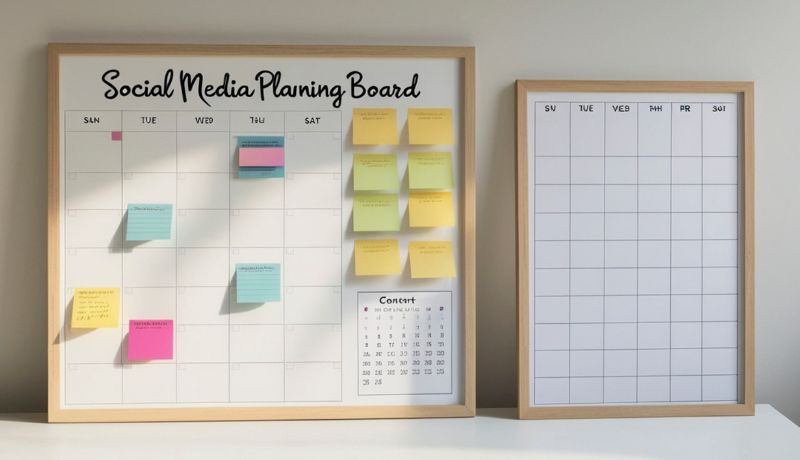
3) Build an Instagram Reels content calendar template
Use a lightweight template your team can copy across accounts.
A simple weekly mix:
- 2 educational Reels (quick wins)
- 1 proof Reel (testimonial, case study, result)
- 1 product/service Reel (demo or offer)
If you’re managing volume, this becomes your baseline Instagram marketing Reels cadence.
4) Schedule Instagram Reels for multiple client accounts
Plan production separately from publishing.
A good agency workflow:
- Create and approve in batches.
- Schedule a full week (or month) at once.
- Keep a “rapid response” slot for timely trends.
If you use Cloud Campaign, you can schedule across many client profiles from one place. You can also use features like Category tags to keep experiments organized by pillar, campaign, or client.
(Internal link opportunity) Learn more about scheduling with Cloud Campaign.
5) Review results and adjust one variable at a time
Change one thing per cycle (hook style, length, CTA, editing pace, caption format). That’s how you build reliable lift instead of chasing random wins.
Instagram Reels format checklist (9:16, captions, thumbnails)
Direct answer: To avoid reach issues, publish Reels in 9:16 (1080×1920), keep key text centered, add captions, and design a clean thumbnail that works in the profile grid.
Technical rules (don’t skip these)
Ignoring specs can hurt performance, even if the idea is strong.
- Video: 1080×1920 (9:16 portrait)
- Feed preview: appears closer to 4:5 in the grid/feed, so edges can crop
- Thumbnail/cover: typically 1080×1080 (1:1) for the profile grid
Best practice: keep faces, hooks, and on-screen text inside a “safe zone” (center of frame) so it doesn’t get chopped in the feed preview.
Length of Instagram Reels in 2026
There’s still confusion here.
- Instagram supports Reels up to 15 minutes for publishing.
- Most brands see stronger completion rates in the 7–30 second range.
Your plan should match intent:
- Top-of-funnel: shorter, faster, one clear idea.
- Mid-funnel: slightly longer demos, comparisons, or mini-walkthroughs.
Text, captions, and hashtags
Use captions strategically.
- You have up to 2,200 characters.
- Lead with the point in the first line (it’s your “second hook”).
- Use 1–3 relevant hashtags (avoid dumping 15–30).
Also add closed captions and on-screen text. Many viewers watch with audio off, and captions improve accessibility.
One more rule that matters: avoid reposting TikToks with watermarks. Instagram has historically downranked watermarked content.
Posting, links, and CTAs: what to do (and what not to do)
Direct answer: You can’t rely on clickable links in captions, so drive viewers to a clear CTA in bio, pinned comments, or DMs—and track it.
Instagram limits direct linking. For campaign tracking:
- Use a link-in-bio tool (like Linktree) or a dedicated landing page.
- Use consistent UTMs per client and per campaign.
- Keep CTAs simple: “Get the template,” “Book a consult,” “See pricing.”
Batch creation workflow for Reels (agency-friendly)
Direct answer: Batch creation is the fastest way to produce consistent Reels: script 8–12 hooks at once, film in one block, edit with reusable templates, then schedule.
A practical batch workflow for agencies:
- Hook sprint (30 minutes): write 10 hooks per client pillar.
- Script/light outline (45 minutes): 3 beats: problem → payoff → next step.
- Film block (60–90 minutes): record all A-roll in one session.
- Edit templates (2–3 hours): reuse fonts, caption styles, transitions.
- QC + schedule (30–45 minutes): check safe zones, captions, cover frames.
This is where your reels plan becomes scalable infrastructure, not a weekly scramble.
Reels client approval workflow (without bottlenecks)
Direct answer: Keep approvals moving by standardizing what clients can review (message, claims, branding) and what they can’t (minor edits), then approve content in batches.
To reduce revision cycles:
- Share 3–5 sample Reels first to lock tone.
- Approve pillars and templates monthly.
- Approve scripts/claims weekly (batch).
- Limit feedback to a single consolidated thread.
If your agency uses a white-labeled portal, clients feel like they’re approving inside your platform, which helps with brand continuity and retention.
Instagram Reels performance metrics tracking
Direct answer: Track watch time signals (retention, completion), sharing signals (shares, saves), and business signals (profile visits, clicks) to prove value.
A simple reporting set your clients will understand:
- Plays / reach: discovery
- Average watch time & completion rate: creative quality
- Saves & shares: content value
- Profile visits & follows: brand lift
- Link clicks / DMs: demand
Pro tip: report by content pillar, not just by post. That’s how you turn analytics into a better reels plan next month.
Post consistently and intentionally
Consistency is still the multiplier, but only if the plan is realistic.
If creative resources are tight:
- Commit to 3–4 Reels/week per client.
- Batch-produce every two weeks.
- Keep one slot flexible for trends.
And if you want to reduce manual work, schedule a full month in advance using Cloud Campaign.
Put your Instagram Reels plan into action
Video continues to dominate the Instagram feed. Agencies that win with Reels don’t “do more,” they build systems: templates, batch production, approvals, scheduling, and reporting.
If you want to see how Cloud Campaign helps agencies scale Instagram management across dozens (or hundreds) of client accounts, start a free 2-week trial: https://app.cloudcampaign.com/register?plan=studio
Prefer a walkthrough? Schedule time with our team: https://www.cloudcampaign.com/schedule-demo
FAQ
What is a reels plan?
A reels plan is a documented system for goals, content pillars, production, scheduling, and reporting—so you can publish consistently and improve performance over time.
How many Reels should an agency plan per week?
Most agencies start with 3–4 Reels per client per week, then increase volume only after the workflow (batching, approvals, scheduling) is stable.
What are the most important Instagram Reels best practices in 2026?
Prioritize a clear hook in the first seconds, 9:16 formatting, captions, original (non-watermarked) content, and tracking retention, saves, and shares.
Can I schedule Instagram Reels ahead of time?
Yes. Use an approved scheduler to schedule Instagram Reels for multiple client accounts, maintain a consistent calendar, and reduce last-minute publishing.
What metrics matter most for Instagram marketing Reels?
Watch time and completion rate indicate creative strength, while saves, shares, profile visits, and link clicks show real business impact.
Put Your Instagram Reels Strategies Into Action
Don't forget to download your Instagram Reels Strategies checklist to boost your performance now!
Video content continues to take hold as the preferred format for social media platforms. This can be an obstacle to overcome or an opportunity to grow, depending on your perspective.
But with the Instagram Reels strategies, best practices we’ve covered in this article, content ideas to inspire you, and a powerful SMM tool to schedule, you are equipped to take your Reels to the next level!
If you're curious how Cloud Campaign can elevate your Instagram game, click here for a free 2-week trial. Or, schedule time with our team to find out how our platform fits into your business.

































.png)























.avif)














.avif)


















.avif)