.png)



A social media content calendar is not a prettier way to remember what goes live on Thursday. For an agency, it is the operating layer between strategy, production, approvals, publishing, and reporting.
That distinction matters once you manage more than one brand.
A single-client calendar can survive as a loose spreadsheet. A multi-client calendar cannot. The work breaks when every account has different pillars, deadlines, approvers, assets, platform rules, and campaign priorities. The calendar has to reduce that complexity, not just document it.
A social media content calendar should reduce channel sprawl, not just record it
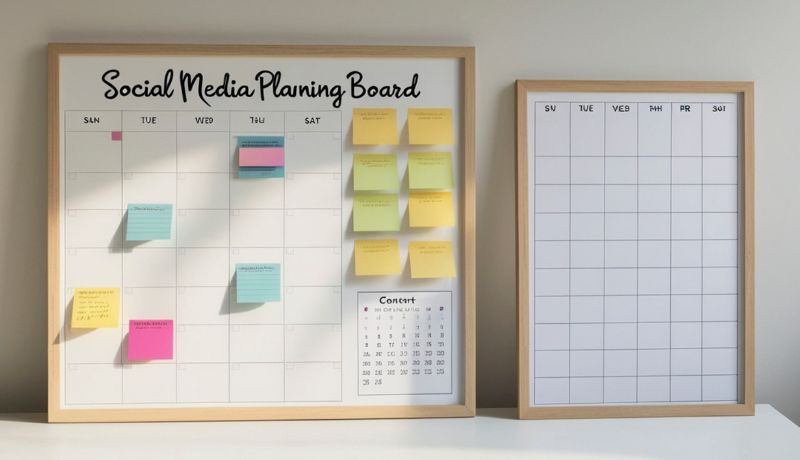
A social media content calendar is a planning system that maps what you will publish, where it will go, who owns it, what campaign it supports, and what approval state it is in before it reaches the feed.
For agencies, that definition needs teeth. A calendar that only tracks date, caption, and platform is a posting log. It tells you what is supposed to happen, but it does not help your team make better decisions.
The real job is channel control. DataReportal and GWI report that the typical social user actively uses 6.5 social platforms per month. Your clients do not experience Facebook, Instagram, LinkedIn, TikTok, YouTube, Pinterest, Threads, and Google Business Profile as separate operating silos. They experience the brand.
Your calendar has to hold that brand together across channels. The same campaign idea may become a LinkedIn thought-leadership post, an Instagram carousel, a TikTok short, and a Google Business Profile update. The calendar should show the relationship between those assets, not scatter them across tabs where the strategist has to reconstruct the campaign by memory.
This is where agency calendars fail. They record the sprawl after it happens. A better calendar creates constraints before production starts.
How to make a social media content calendar starts with one planning window
How to make a social media content calendar starts with choosing the planning window your team can maintain. For agencies, that means planning campaigns monthly and producing in shorter weekly or biweekly batches.
The monthly window gives strategy room. You can map launches, holidays, sales pushes, seasonal themes, recurring education, and client-specific priorities before the team starts writing captions. The shorter production batch keeps the calendar flexible enough to handle late approvals, asset delays, and reactive opportunities.
Do not start by filling boxes. Start by defining the month.
For each client, the planning window should answer five questions. What business priority does social need to support this month? What audience segment matters most? Which campaigns or offers need visibility? Which platforms deserve original treatment? Which content can be adapted across channels without becoming generic?
That upfront planning protects margin. Promethean Research found that average digital-agency after-tax net margin was 13% in 2025, with margins compressing as agencies grew in headcount. That is an agency-wide figure, not a social-specific benchmark, but the operating lesson is direct.
Recurring work gets expensive when every added client creates a new manual process. A content calendar should standardize the thinking before production begins.
If every strategist builds a separate planning rhythm, the agency never gets compounding efficiency. It gets a collection of personal systems that break when one person goes on vacation.
How to create a content calendar for social media by locking your pillars first
How to create a content calendar for social media becomes easier once content pillars are locked before post ideas enter the calendar. Pillars are the guardrails that keep the calendar from becoming a pile of disconnected prompts.
For an agency, pillars should connect client strategy to repeatable production. A local med spa may need education, trust-building, transformation stories, promotions, and community presence. A B2B software company may need thought leadership, product education, customer proof, hiring brand, and industry commentary.
The exact pillars change by client. The function does not.
Pillars let your team see whether the calendar is balanced. If one client’s month is all promotion, the issue appears before approval. If another client’s LinkedIn presence has no proof points, the strategist can fix the mix before writing starts.
If Instagram has visual-heavy posts but the asset library is thin, the production lead can request creative before the deadline turns into a fire drill.
This is also where your agency social media management strategy and calendar should meet. Audience segmentation, content curation, and reporting cannot live in separate documents from the publishing plan. The calendar is where those strategic choices become actual posts.
Locking pillars first also makes delegation safer. A strategist can assign writing, design, and scheduling without explaining the entire account from scratch every week. The pillar carries the intent.
The workflow your calendar needs before a single post gets scheduled
How to plan social media content is an operations question before it is a creative question. The calendar needs a workflow that tells your team how an idea becomes a publish-ready post.
At minimum, that workflow should move through intake, planning, creation, internal review, client approval, scheduling, publishing, and reporting. The labels can change. The handoff points cannot be vague.
Vague handoffs are where agencies lose time. A writer finishes captions but does not know whether the client supplied final product names. A designer creates assets before the offer has legal approval.
A strategist schedules posts before the account lead has checked platform fit. The calendar looks full, but the work is still unstable.
Each post needs a visible status. Drafting, awaiting assets, internal review, sent to client, approved, scheduled, published, and reporting reviewed are practical states because they describe what is blocking the next move.
Approval logic matters as much as production logic. A calendar without approvals forces your team to manage sign-off in email threads, Slack messages, comments, and meeting notes. That fragments accountability.
The calendar should show who needs to approve the post and whether the post is safe to schedule. It does not just say when content goes live. It shows whether the work is ready.
A social media content calendar template should track more than publish dates
A social media content calendar template should include every field your team needs to plan, produce, approve, publish, and learn from a post. If the template only captures the publishing date, it will not survive multi-brand fulfillment.
The simplest useful template includes these fields:
- Client or brand
- Campaign or initiative
- Content pillar
- Platform
- Publish date and time
- Post format
- Caption or copy
- Creative asset link
- Asset status
- Internal owner
- Client approver
- Approval status
- Scheduling status
- Target audience or segment
- Call to action
- UTM or tracking link
- Performance notes after publishing
That list looks heavy until you compare it with the cost of missing context. Every blank field becomes a follow-up message. Every unclear owner becomes a delay. Every missing asset status becomes a surprise the day before publishing.
For a small account, you can hide fields that do not matter yet. For an agency template, do not delete the operating logic. Your template should make the mature workflow available even when a client starts with a simpler cadence.
The goal is not more administration. The goal is fewer decisions made from memory.
Social media content calendar examples break down by client, campaign, and channel
Social media content calendar examples are useful only when they show how the calendar behaves under real agency conditions. A single brand posting three times a week does not reveal the pressure points.
The first useful example is the client-level calendar. This view shows one client’s month across every platform. It helps the account lead see whether the brand story is coherent, whether campaigns are supported, and whether the content mix matches the strategy.
This is the view you use in client planning calls.
The second is the campaign-level calendar. This view cuts across platforms and sometimes across clients. It shows every asset tied to a launch, seasonal promotion, event, or awareness push.
This is the view that prevents a campaign from becoming one hero post surrounded by filler.
The third is the channel-level calendar. This view isolates Instagram, LinkedIn, TikTok, or another platform so the production team can check cadence, format mix, creative requirements, and platform-native execution.
If your team is building an Instagram content calendar, this view matters because visual sequencing, Reels, Stories, and grid considerations change the planning process.
These views answer different questions. The client view asks whether the brand plan makes sense. The campaign view asks whether the initiative has enough support. The channel view asks whether the execution fits the platform.
A spreadsheet can approximate those views with filters and tabs. The important part is the discipline underneath. If every post is tagged by client, campaign, pillar, platform, and status, your calendar can be sliced into the view your team needs.
The best social media content calendars are built for last-minute changes
Social media calendar best practices have to account for change. A rigid calendar looks organized until a client delays a launch, a product photo arrives late, a platform trend becomes relevant, or an executive wants to pause promotional content.
The best calendars protect the plan without pretending the plan is fixed.
Build flexibility into the system with content categories that can move. Evergreen education, customer proof, community posts, curated articles, and recurring thought leadership can fill gaps when a timely campaign slips. Date-sensitive posts need stricter handling because they expire.
Your calendar should make that difference visible.
Keep a parking lot for approved backup content. This is not a junk drawer for weak ideas. It is a reserve of usable posts that fit the client’s pillars and can be scheduled when the month shifts.
For agencies managing multiple accounts, a strong content library is the difference between a controlled adjustment and a scramble.
You also need a change protocol. If a post moves, the owner updates the status. If a campaign pauses, the related posts are tagged together.
If a client gives feedback, the revision happens where the post lives, not in a disconnected message thread.
The rule is simple. A calendar should absorb change without losing accountability.
For broader execution guidance, a general social media marketing best practices resource can help frame the content side. The agency calendar still needs its own workflow discipline.
When your calendar outgrows a spreadsheet, the system has to change
A multi-brand social media calendar outgrows a spreadsheet when the spreadsheet starts hiding work instead of clarifying it. The signal is not team size alone. It is the number of handoffs, clients, platforms, assets, and approval paths the calendar has to coordinate.
Spreadsheets are useful at the beginning. They are flexible, familiar, and easy to adapt. They break when they become the source of truth for scheduling, approvals, asset storage, permissions, and reporting at the same time.
At that point, the agency needs platform-level structure. The useful shift is from rows and tabs to a centralized dashboard with siloed client workspaces, permission roles, a taggable content library, and bulk actions for importing, copying, moving, and organizing content.
For agencies publishing across Facebook, Instagram, Threads, LinkedIn, YouTube, Pinterest, Google Business Profile, and TikTok, the calendar has to connect planning to multi-platform execution.
Cloud Campaign is one example of that agency-native setup, with centralized workspaces, support for those eight publishing platforms, user permission roles, a taggable content library, and bulk operations for managing content across accounts.
The strategic takeaway is not that every agency needs to abandon spreadsheets on day one. It is that the calendar has to match the operating model. A spreadsheet can manage a simple plan.
A growing agency needs a system that protects strategy, approvals, and margin as client volume increases.
If your current calendar only tells you what should post next, it is not enough. The better question is whether it tells your team what is ready, what is blocked, who owns the next step, and how the month supports the client’s strategy.
That is the difference between a posting schedule and a repeatable fulfillment workflow. For agencies comparing the next layer of tools, a guide to the best social media calendars can help frame what changes when the calendar becomes infrastructure instead of a document.




Want 10 free social posts for your client or brand?
CloudStudio helps automate your social presence by turning your brand, website, and goals into ready-to-post content. Share your info and we’ll show you what it can create.

































.png)

.png)
.png)
.png)
.png)
.png)
.png)
.png)
.png)
.png)
.png)
.png)
.png)
.png)





.png)
.png)




























.png)