Run social for every law firm your agency serves from one platform. Each firm gets its own workspace, content calendar, and approval link, so your team delivers consistent, attorney-approved posting for 10 firms or 200.






Legal marketing agencies grow on repeatable delivery: the same quality for every firm, every month. Cloud Campaign gives your team one system to plan, approve, publish, and report across the whole roster.
Each firm, or each office of a multi-office firm, gets its own workspace with its social accounts, content library, calendar, and reports. Your team moves between firms in one click, and every post lands on the right accounts.
Send a full calendar in one secure link. The attorney or marketing director reviews, comments, and approves from a phone, and your team gets an email the moment it is approved.
Firms see a client portal, reports, and emails with your logo, colors, and domain. White-labeling is included on Team and Agency plans.
Agencies that focus on one industry build content, workflows, and insight that carry from client to client. Cloud Campaign puts that work to use across your whole roster.
Upload a content plan once and send it to every firm workspace you choose, grouped by workspace tags such as practice area. Copy posts in bulk between workspaces whenever one firm's idea fits another.
Plain-language answers to common legal questions stay relevant year after year. Add them to category-based queues that drip on the schedule you set and recycle your best posts automatically.
Each workspace profile holds a firm's voice, practice areas, location, and audience, so your team tailors shared content to each firm in minutes with CaptionAI, ImageAI, and the AI Social Inbox. A per-workspace watermark brands shared images for each firm.
Tag posts by category, such as legal education, attorney spotlights, or community involvement, and see which categories perform in each firm's analytics. Bring what works into the next firm's plan.
From Agency View, generate performance reports and approval requests for every firm you select in a single step.
Open a workspace, connect the firm's accounts, and load the content library you have already proven with the other firms you manage, so each new firm starts with a full calendar.
A law firm wins on social by being useful, credible, and present in its community. Here is what that looks like across a full roster, and where the platform does the heavy lifting.
Plain-language answers to common legal questions, attorney and team spotlights, firm news, client reviews, and community involvement. A steady mix of these builds credibility long before someone needs to hire a lawyer.
LinkedIn, Facebook, and Google Business Profile carry most firms' presence, with YouTube for longer explainers and Instagram or TikTok for consumer-facing practices. Schedule every firm to all of them from one calendar with bulk upload.
Bar advertising rules make attorney review part of the workflow. Route each calendar through the approval steps a firm requires, and keep the firm's comments and your team's internal notes in one place.
Operational results from agencies running client social on Cloud Campaign.
Every plan includes unlimited users and the full toolset. We only grow when you grow, with volume discounts as you scale.
For marketers managing social for one brand or a few clients.
For teams managing social across multiple brands, clients, or locations.
For agencies managing social at scale across a growing client base.
Add brand workspaces as you grow. Volume pricing kicks in at scale, and annual billing gets you two months free.
The problems that eat agency hours, and how Cloud Campaign clears them.
Cloud Campaign is white-label social media management software built for agencies, with unlimited users on every plan.
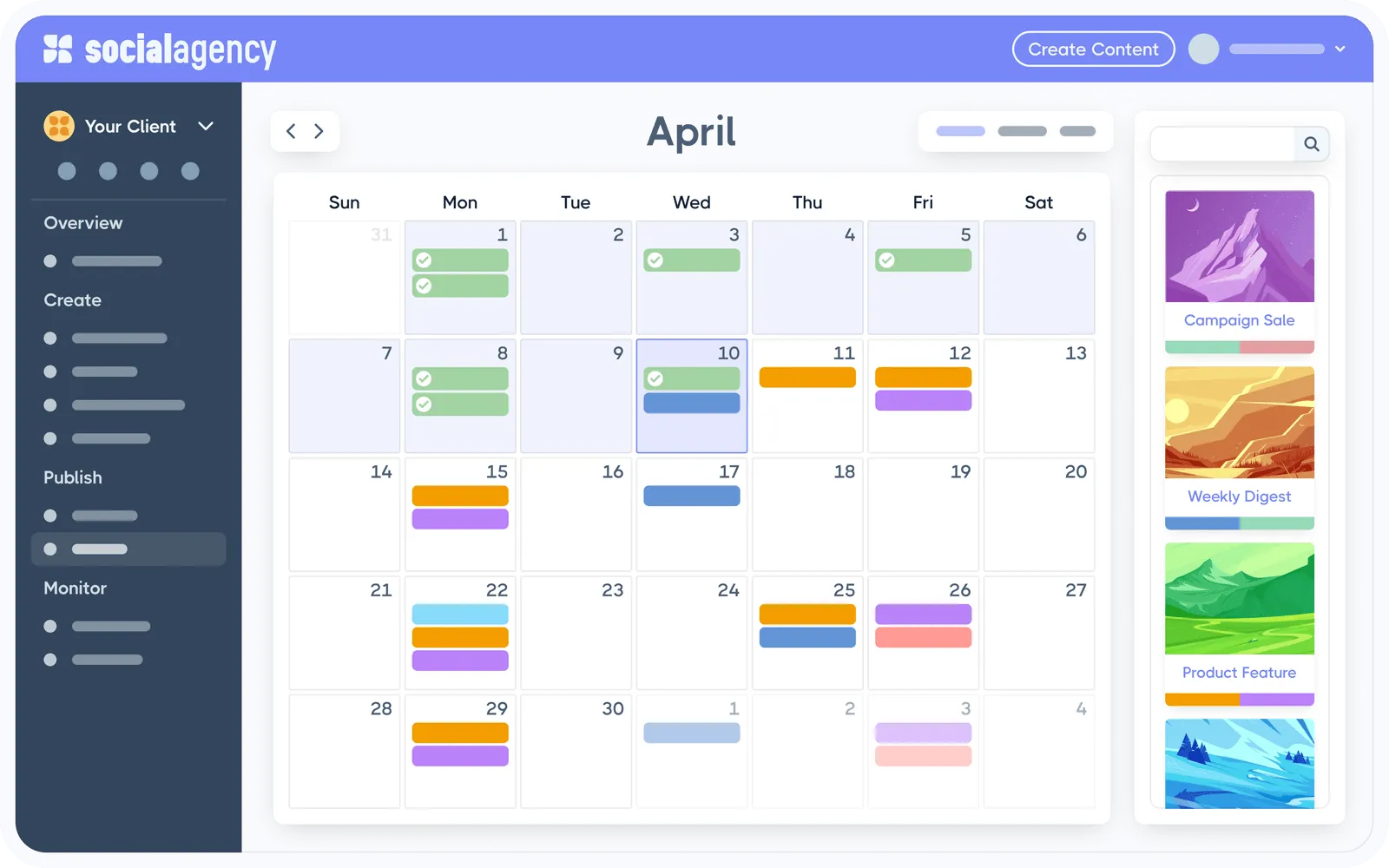
Schedule to every major network from one visual calendar, with bulk upload built in.
Clients review and approve full calendars with one click, right in their own branded portal.
Add your logo, colors, and domain. Dashboards, reports, and client emails all carry your brand.
CaptionAI, ImageAI, and the AI Social Inbox come included on every plan, trained on each client's voice.
Generate branded performance reports in one click. Schedule them to send automatically.
Manage comments and messages across every client account from one inbox.
Save posts, images, and videos in a taggable library. Recycle evergreen content on a schedule so calendars never run dry.
Hand off production entirely. CloudStudio turns an approved strategy brief into reviewed, scheduled content inside Cloud Campaign.
The best fit is software that keeps every firm separate while one team runs them all. Cloud Campaign is a white-label social media management platform built for agencies: each firm gets its own workspace, attorneys approve content from one secure link, and reports go out under your agency's brand. Every plan includes unlimited users.
Give each firm its own workspace so its social accounts, content, approvals, and reports stay organized, then run the whole roster from one dashboard. In Cloud Campaign, your team switches between firms in one click, uploads content in bulk, and schedules every firm from a single calendar.
Your team sends a secure approval link. The attorney or marketing director reviews the full calendar, leaves comments, and approves from any device, and your team gets an email as soon as it is approved. Multi-level approvals are available for firms that need a second sign-off.
Yes. Each office or practice group can have its own workspace with its own social accounts, content library, and reporting, and you add workspaces as the firm grows. Pricing scales per workspace and every plan includes unlimited users, so attorneys and firm staff can all take part.
Most firms focus on LinkedIn, Facebook, and Google Business Profile, where people looking for a lawyer check credentials, reviews, and firm updates. YouTube suits longer explainers, and Instagram and TikTok can work for consumer-facing practices. Cloud Campaign publishes to all of these, plus Pinterest and Threads.
Yes. Upload a content plan once and send it to every firm workspace you choose, or copy posts in bulk from one workspace to another. Evergreen queues recycle your best posts on a schedule, and each workspace profile helps your team tailor shared content to the individual firm.
Yes. Client migration is included on the Agency plan to help you move the firms you already manage onto Cloud Campaign.
Join thousands of agencies running client social media on Cloud Campaign.
