.png)



How to use LinkedIn for business gets harder when the answer is “post more.”
That advice breaks down the moment you manage LinkedIn for several small-business clients at once. One page needs recruiting credibility. Another needs local authority. Another needs owner-led thought leadership, but the owner has no time to write.
The job is not to turn every client into a daily LinkedIn publisher. The job is to build a repeatable system that gives each business a clear role on LinkedIn, a sustainable content mix, and a publishing workflow that does not add more manual toil every week.
How to use LinkedIn for business starts with one clear job
LinkedIn should not carry the same job for every client.
For one small-business client, LinkedIn may support hiring. For another, it may help sales teams look credible when prospects research the company. For a professional-services firm, it may be the place where the founder explains how the firm thinks.
That distinction matters because social media is fragmented. The typical social user actively uses 6.5 platforms per month, according to DataReportal and GWI. LinkedIn has to earn a specific place inside that mix. If it becomes “the professional version of whatever we posted on Instagram,” it turns into a copy-and-paste channel with weaker context.
Give each client page one primary job before you build the content plan.
A good LinkedIn job sounds like an operating brief, not a vague goal. “Show prospects the team’s expertise before sales calls” is useful. “Build brand awareness” is not. “Make the company look credible to job candidates” gives the social lead a filter. “Get more engagement” gives them a scoreboard with no strategy.
That job becomes the decision rule for everything that follows. It tells you what belongs on the page, what should stay on the founder’s profile, and what should be cut before it becomes another low-value post in the queue.
How to set up a LinkedIn business page so your posts have somewhere to land
A LinkedIn business page is not just a publishing container. It is the place prospects, candidates, partners, and employees land when they want to validate the company.
Setup has to come before cadence. A posting system cannot fix a page that gives visitors no reason to trust the business.
For agency teams, the setup checklist should be simple enough to repeat across client onboarding:
- Complete the company description with the client’s positioning, services, audience, and location if local relevance matters.
- Use a banner image that explains the business instead of a generic brand graphic.
- Align the logo, tagline, website, industry, company size, and specialties with the client’s broader web presence.
- Add keywords naturally where buyers or candidates would expect them, especially in the description and specialties.
- Confirm page admins, approval owners, and notification access before the first month of posting begins.
This is not cosmetic work. It prevents the common disconnect where the agency publishes credible content to a page that still looks half-built.
For multi-client teams, setup also protects workflow. If every page follows the same intake standard, the strategist can move faster without rebuilding the operating model from scratch for each brand.
A LinkedIn content strategy works better when every post does one of three things
A LinkedIn content strategy becomes easier to manage when every post has a job before it has a caption.
The strongest small-business pages do not need a complicated content matrix. They need a small set of repeatable functions. Each post should teach, prove, or humanize.
Teaching posts explain what the client knows. These work well for professional services, local experts, B2B providers, and any business where the buyer needs confidence before they need a pitch.
Proof posts show that the business does what it claims. Case studies, project snapshots, customer lessons, before-and-after stories, hiring milestones, and process breakdowns all fit here. The point is not to brag. The point is to make the company’s competence visible.
Humanizing posts show who is behind the work. Team stories, founder observations, community involvement, hiring posts, and behind-the-scenes updates give the business a face without turning the page into a personal diary.
This framework also keeps AI-assisted content from sliding into generic output. HubSpot’s 2025 State of AI reporting found that only 7% of marketers use AI to produce entire pieces without editing, while 56% significantly revise AI text before publishing. That maps directly to “the Human Standard,” the quality bar AI output must clear to be deliverable.
For LinkedIn, that standard matters. The post is attached to a real company page, viewed by real prospects, and judged in a professional feed. A passable caption is not enough.
The post needs client-specific judgment, proof, and language that sounds like the business.
For more tactical guidance on openings, formats, and engagement habits, this related guide on LinkedIn social media management best practices goes deeper on execution.
LinkedIn for small business gets easier when you build around repeatable angles
LinkedIn for small business works best when the agency stops treating every post as a blank page.
Small-business clients rarely have a steady stream of polished announcements. They have customer questions, sales objections, team knowledge, local context, owner opinions, service nuances, and project moments. Those raw materials become useful when you turn them into repeatable angles.
A repeatable angle is a post type your team can return to every month without sounding formulaic. It gives the writer a shape, but it still leaves room for client-specific substance.
For a local accounting firm, the angles may be “question we heard from a client,” “mistake to avoid before filing,” and “what business owners misunderstand about cash flow.” For a commercial contractor, they may be “project lesson,” “safety decision,” and “what the client never sees behind the finished build.” For a recruiting firm, they may be “candidate market note,” “hiring manager mistake,” and “role spotlight.”
The agency value is in the translation. You take what the client already knows and turn it into content the page can publish consistently.
That also makes approvals easier. Clients approve faster when they recognize the source material. A post built from a real sales call, project note, or owner quote feels less like outsourced content and more like an edited version of what the business already believes.
A LinkedIn posting schedule should protect consistency before reach
A LinkedIn posting schedule should begin with the cadence the client can sustain.
That sounds less exciting than a reach-maximizing playbook, but it is how multi-client social programs survive. A perfect schedule that collapses after the first month is not a strategy. It is a workload spike.
Start with the minimum viable cadence. If a client can reliably approve one strong post each week, build around that. If the client has enough source material and a responsive approval owner, add more.
The right schedule protects quality, approval speed, and engagement capacity at the same time.
The schedule also has to account for what happens after publishing. LinkedIn is not a set-and-forget channel. A good post can create comments, profile visits, employee shares, and sales follow-up.
If the agency publishes when no one is available to monitor replies, the system creates missed opportunities.
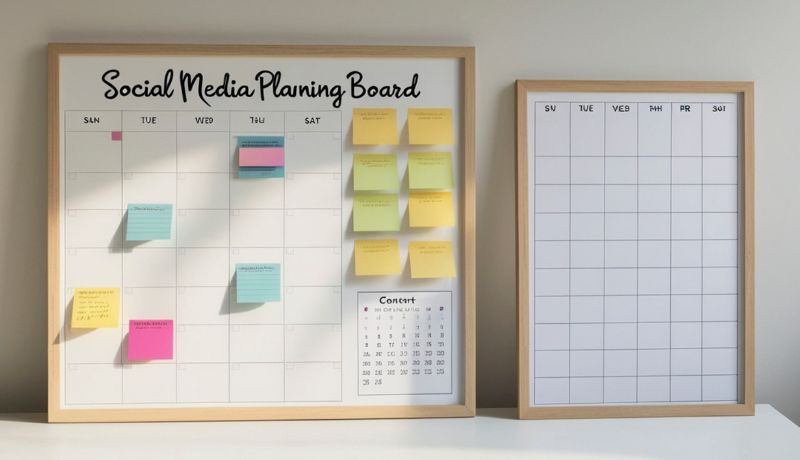
A practical weekly rhythm separates the work into three buckets. Source material comes first. Drafting and approval come second. Publishing and engagement come third.
That rhythm is more important than the exact posting day. It gives the account manager a repeatable workflow and gives the client a predictable approval window. It also keeps LinkedIn from becoming the platform that gets handled at the end of the day because everything else felt more urgent.
For teams already feeling that friction, this guide on how to automate LinkedIn posts explains where automation helps and where human review still belongs.
Publishing and automation matter when LinkedIn turns into recurring work
LinkedIn becomes operationally expensive when weekly posting turns into a multi-client obligation.
The content itself is only part of the workload. The grind comes from logging into accounts, checking which posts were approved, copying captions into the right page, matching assets, confirming dates, moving content between drafts and scheduled queues, and making sure the right client sees the right work.
That is the point where publishing infrastructure starts to matter. Automation does not replace strategy. It removes recurring manual publishing work so the team has more time for strategy.
A sustainable LinkedIn system needs a few category-level capabilities. It needs posting rules so recurring content can move through a defined workflow. It needs category tags so posts can be organized by theme, campaign, client, or approval status.
It also needs multi-platform publishing because LinkedIn is one channel inside a broader client mix, not a separate island.
Cloud Campaign is one example of that category. Its Publishing & Automation capabilities include posting automations and rules, category tags that organize content and trigger automations, and publishing across Facebook, Instagram, Threads, LinkedIn, YouTube, Pinterest, Google Business Profile, and TikTok, with email push notifications for accounts that are not directly integrated.
The important principle is bigger than any one platform. Once LinkedIn posting becomes recurring client work, the agency needs an operating layer between strategy and publication. Otherwise, every new client adds another set of manual steps to the same team.
Your LinkedIn metrics should tell you what to repeat, cut, and repurpose
LinkedIn analytics for business should answer one question. What should the team do again?
Impressions matter, but they are not enough by themselves. A post can get visibility without attracting the right audience. A smaller post can create the exact comment, profile visit, or sales conversation the client wanted.
The metrics need to be read against the job you assigned LinkedIn at the start.
If the page’s job is hiring credibility, track follower growth from relevant candidates, employee shares, comments from industry peers, and traffic to recruiting pages. If the job is sales support, look at posts that explain objections, generate saves, or get shared by the sales team. If the job is founder authority, compare the company page’s performance with the owner’s profile and decide what belongs where.
The monthly review should be operational, not theatrical. Keep the questions tight.
What angle earned meaningful engagement? What format did the audience finish or respond to? What topic created comments from the right people? What post should become a carousel, short video, sales enablement asset, or follow-up article? What recurring angle did not earn another month?
That review turns LinkedIn from a publishing obligation into a learning loop. The agency is no longer asking, “What do we post next?” from scratch. It is asking, “What did the audience already tell us to repeat?”
That is the real shift. Sustainable LinkedIn marketing is not built on one viral post, a heavier cadence, or a content calendar full of filler. It is built on a defined role, a clean page, repeatable angles, human quality control, and a publishing system that lets the team keep showing up without adding more manual work.
If your next step is tightening the operational side, start with the workflow principles in this guide to automating LinkedIn posts safely.




Want 10 free social posts for your client or brand?
CloudStudio helps automate your social presence by turning your brand, website, and goals into ready-to-post content. Share your info and we’ll show you what it can create.

































.png)

.png)
.png)
.png)
.png)
.png)
.png)
.png)
.png)
.png)
.png)
.png)
.png)
.png)






.png)
.png)



























.png)