.png)



With so many platforms to post on, it can be easy to simply copy and paste captions for all your posts to save time.
New to customizing content and tone using AI? Check out our guide on How to Use AI Caption Writers to Tailor Content For Specific Audiences to learn more.
Did you know you can increase your exposure across platforms with captions tailored for each platform using CaptionAI, our caption writing tool? Here's how!
Step 1
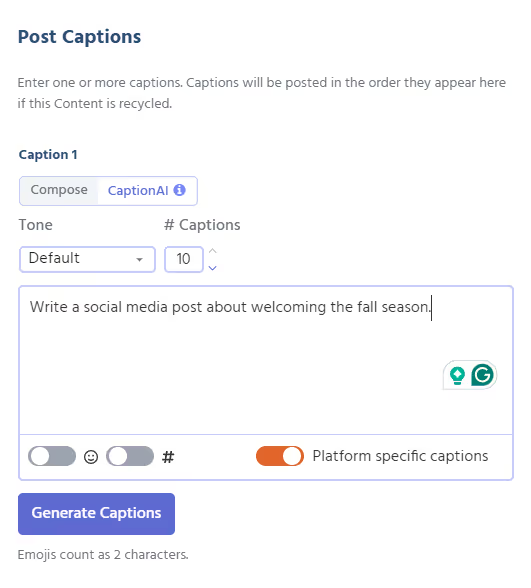
Access your CaptionAI editor, enter your prompt, and click the "Platform Specific Captions" toggle to generate captions tailored for each platform.
Step 2
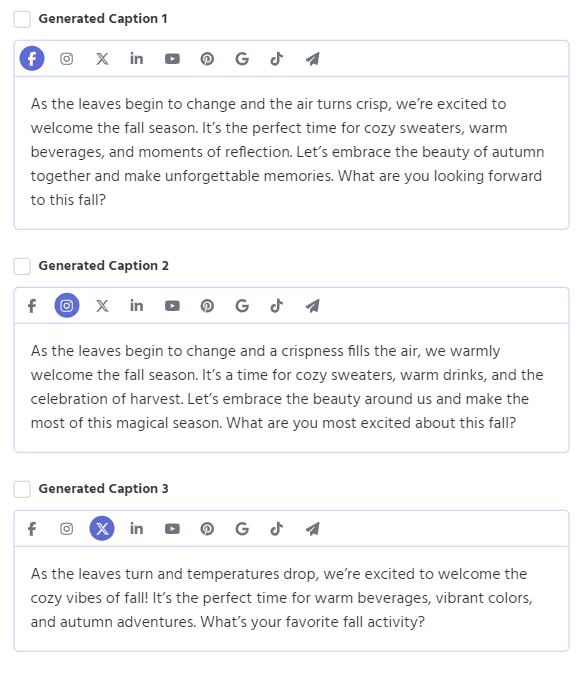
Review and edit your platform-specific captions by clicking the social media icons for each caption, then select the captions you want to save to your post.
Step 3
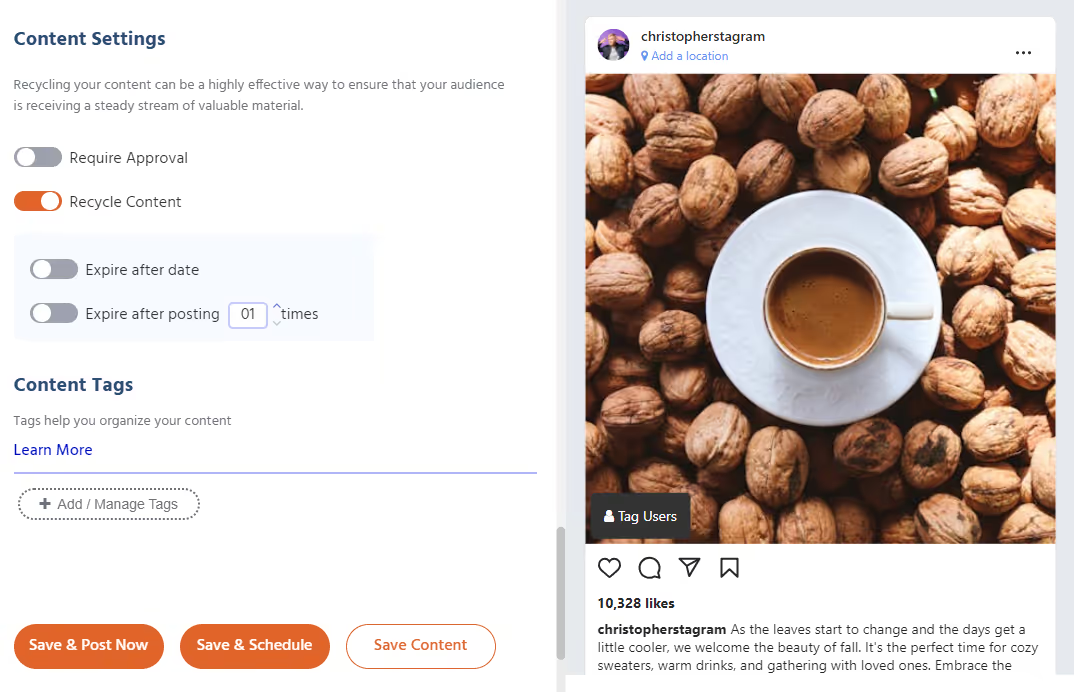
Save and schedule your content or prepare it for approval!


Want 10 free social posts for your client or brand?
CloudStudio helps automate your social presence by turning your brand, website, and goals into ready-to-post content. Share your info and we’ll show you what it can create.















.png)

.png)
.png)
.png)
.png)
.png)
.png)
.png)
.png)
.png)
.png)
.png)
.png)
.png)




.png)
.png)



























.png)